Does Discord Strip EXIF? What Instagram and WhatsApp May Remove
EXIF handling varies by app version, operating system, file type, and sharing mode. Learn what not to assume and how to verify a shared copy before relying on a platform.
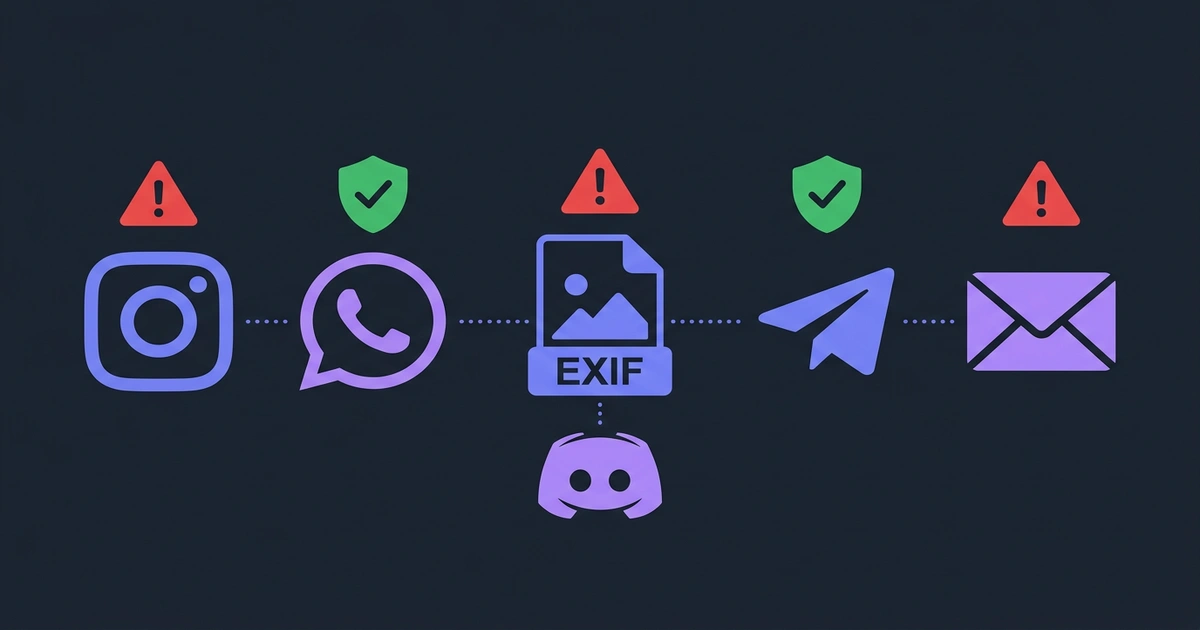
You upload a photo to Instagram. Can another person recover where it was taken? What about Discord, WhatsApp, Telegram, email, or a cloud-storage link?
There is no dependable platform-wide yes-or-no answer. Results can change with the app version, operating system, image format, and whether you choose a photo-sharing path or a file/document attachment. A platform may also process metadata internally even when the copy delivered to another user no longer contains it.
Evidence status
Last reviewed: August 4, 2026. This page is a conservative decision guide, not a published lab test. PicShift has not published the sample files, app and OS versions, before-and-after metadata dumps, file hashes, and repeat runs required to support a claim that every row below was “tested in 2026.” The table therefore avoids verified-test language and absolute “safe” or “dangerous” verdicts.
Platform behavior can change without notice. If the outcome matters, test the exact app, version, file format, and sharing path you intend to use—or remove the metadata before sharing.
The short answer
| Platform or sharing path | What can be assumed without a current reproducible test? | Conservative action |
|---|---|---|
| Instagram or Facebook post | The service may transform the media, but that does not prove every metadata field is removed in every path. | Remove metadata first. |
| WhatsApp photo | A photo-sharing path may compress or re-encode the image; behavior can vary by client and settings. | Remove metadata first or test the received copy. |
| WhatsApp document | A file-oriented path may preserve the selected file. | Assume metadata may remain. |
| Discord image upload | Results may differ by image format and current server/client behavior. | Do not rely on a JPEG or PNG rule without retesting. |
| Telegram photo | A photo path may transform the image. | Test the received copy; remove metadata for sensitive images. |
| Telegram file | A file path may preserve the original file. | Assume metadata may remain. |
| Slack or Signal | Behavior is version- and path-specific and is not verified by a reproducible test on this page. | Remove metadata first. |
| Email attachment or cloud-storage link | These paths are generally intended to deliver the selected or stored file, unless an explicit resize or export step changes it. | Assume metadata remains. |
“May remove metadata” is not the same as “protects your privacy.” The platform can receive the original file before transforming the version other people see, and a different upload path may behave differently.
Instagram and Facebook
Feed and story uploads commonly pass through a media-processing pipeline. That makes the downloadable or displayed copy different from the selected source file, but it is not evidence that every EXIF, XMP, or other metadata field is removed for every format and client version.
Treat platform-side processing as an implementation detail, not as your metadata-removal step. If location or device information is sensitive, clean the file before it reaches the upload screen.
WhatsApp: photo versus document
WhatsApp exposes more than one sharing path. Sending through a photo picker and attaching a document are not equivalent operations: the former may optimize media, while the latter is intended to transfer a file.
Because this page does not include a current cross-platform test matrix, it does not claim that every photo path removes every field. For a document attachment, use the stricter assumption that metadata may survive intact.
Discord
Older and newer reports about Discord often conflict, and JPEG and PNG behavior may differ. Without a dated test artifact showing the exact client, source file, received file, and metadata comparison, statements such as “Discord strips all JPEG EXIF” or “Discord keeps PNG metadata” are too broad.
For a sensitive image, remove metadata locally. For research, retest the exact upload and download path instead of relying on an undated article.
Telegram: photo versus file
Telegram also separates photo sharing from file sharing. A photo path may re-encode media, while a file path is intended to preserve the file more faithfully. Quality or HD options add another variable.
The conservative rule is simple: treat “send as file” as potentially preserving all metadata. Do not infer that a photo path removes every field unless you inspect the received copy from the exact client version you use.
Slack and Signal
Privacy claims about these services are frequently repeated without a reproducible artifact. This article does not claim that either service removes all metadata or only a particular subset.
If another user can download a file, inspect that downloaded copy. If the image is sensitive, remove metadata before sending so the result does not depend on the service’s current transformation pipeline.
Email and cloud storage
An email attachment or cloud-storage download is usually expected to reproduce the file the sender selected or stored. Some clients offer an explicit resize or image-quality option, but that is a separate transformation and should not be assumed.
Unless you have verified otherwise, treat email attachments and shared original-file links as retaining metadata.
How to run a reproducible check
Use a disposable image with non-sensitive marker values—never a real home location—then document the exact path:
- Record the source format, dimensions, byte size, and the metadata fields present before sharing;
- Record the date, device OS, app or web-client version, platform, account type, and the exact action used, such as “send as photo” or “attach as document”;
- Have a second account or recipient download the delivered file itself, rather than taking a screenshot of the displayed preview;
- Compare the received file’s format, dimensions, byte size, hash, and metadata fields with the source;
- Repeat the same path at least once, and test each relevant format separately because JPEG, PNG, HEIC, and WebP may follow different pipelines.
This method distinguishes an observed result from a universal platform claim. Keep the source and received files if you publish the test so another person can inspect the evidence.
The safer approach
Strip metadata before the photo leaves your device. Then your privacy does not depend on an undocumented platform behavior, a particular sharing button, or an article that may be out of date. If you are not sure what EXIF contains, start with What Is EXIF Data and Why You Should Remove It.
Remove EXIF data from your photos →
Removing metadata in the browser also avoids sending the source image to a separate metadata-cleaning server. Our privacy and local processing guide explains the processing boundary and provides a test you can run yourself.