What Is EXIF Data? GPS, Camera Info, and How to Strip It
EXIF metadata can include GPS coordinates, camera details, timestamps, and software fields. Learn what may be present, how to inspect it, and how to remove detected fields.
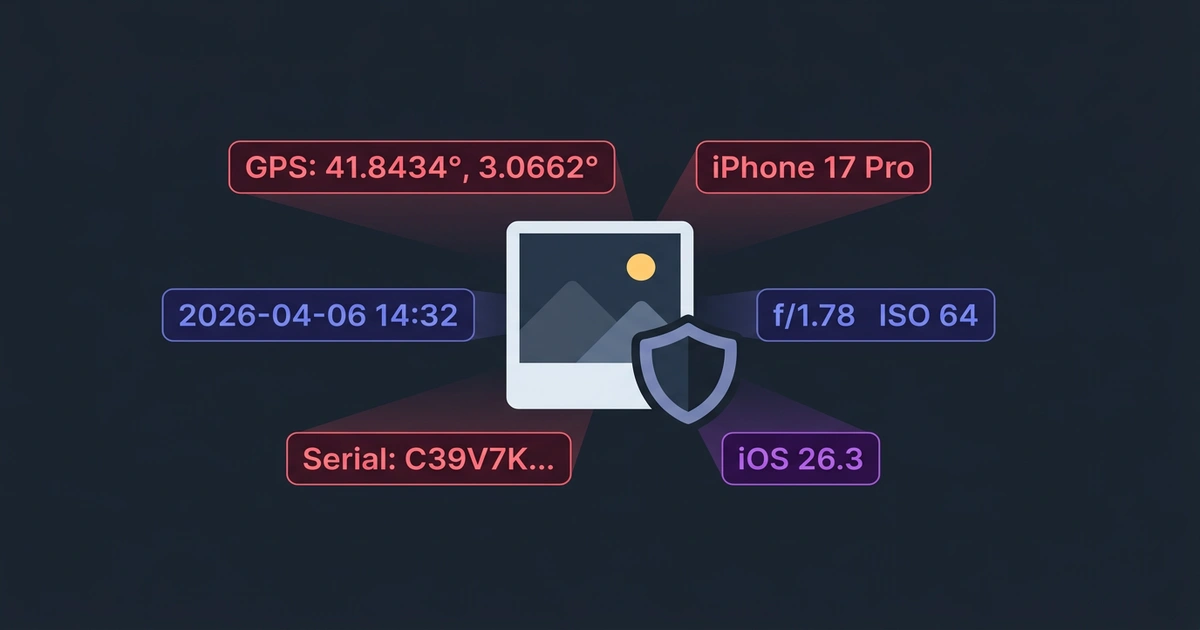
Many camera and phone photos contain metadata in addition to pixels. EXIF fields can include capture time, camera settings, device details, and—when location tagging is enabled—GPS coordinates. Field presence and precision vary by device, setting, edit, and export path.
What EXIF data actually contains
EXIF stands for Exchangeable Image File Format. The specification is published by CIPA alongside its current standards and revisions. Cameras and phones can use its fields to store technical and contextual information alongside image data.
Here are examples of fields a camera file may contain; this is not a promise that every iPhone photo has every field:
| Field | Example value | Risk |
|---|---|---|
| GPS Latitude | 31.230416° | Reveals your exact location |
| GPS Longitude | 121.473701° | Down to a few meters |
| Device Model | iPhone 15 Pro Max | Device fingerprint |
| Lens | 6.86mm f/1.78 | Narrows device identity |
| Serial Number | C39V… | May identify hardware when present |
| Date Taken | 2026-04-05 14:32:07 | Timestamps your activity |
| Software | iOS 18.3.2 | OS version fingerprint |
| Exposure | 1/120s, f/1.78, ISO 64 | Not sensitive, but included |
The interface example below shows one sample file with 13 detected fields, including GPS coordinates. It does not represent every iPhone image:
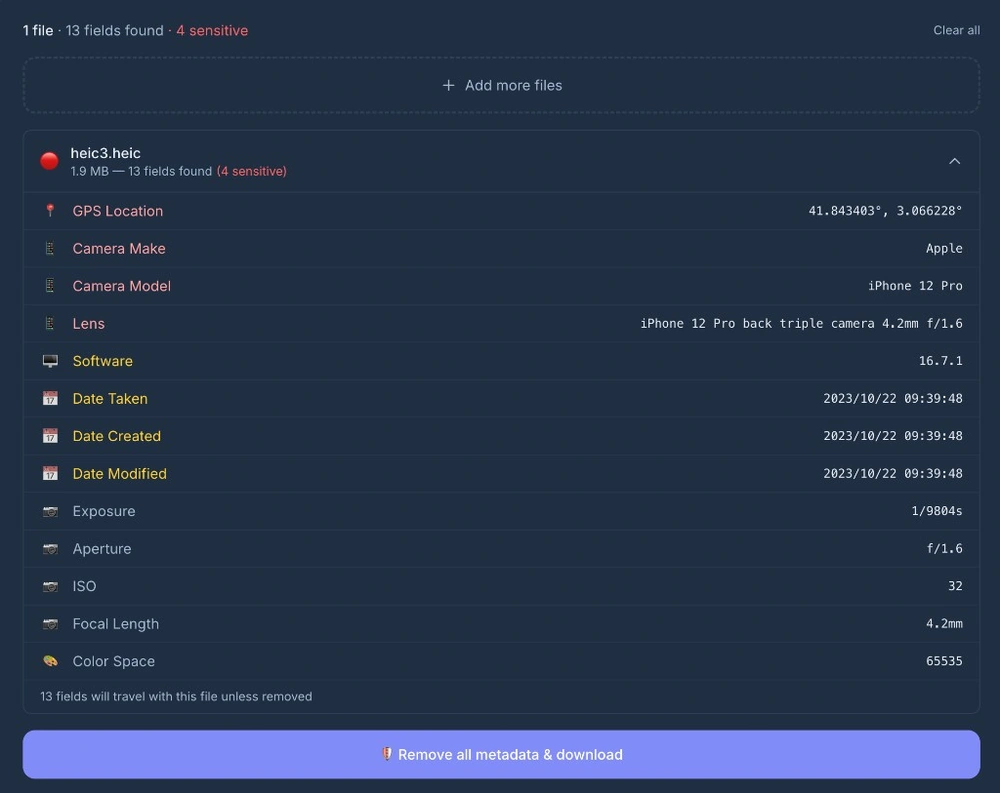
Coordinates can reveal a location with enough precision to be sensitive. Check the actual values rather than assuming location metadata is absent or exact.
Why most people do not know about it
People search “what is metadata in a photo” and expect something complicated. It is not. EXIF is just invisible. You open a photo, you see an image. The metadata sits in a separate block inside the file binary. No photo viewer shows it by default.
Cropping, filtering, or exporting may preserve, change, or remove metadata depending on the application and export path. Inspect the resulting file instead of assuming what happened.
Why the risk is concrete
The risk follows directly from the fields in the file: GPS can disclose a capture location, timestamps can reveal a routine, and device or software fields can add context. The impact depends on the image, recipient, and whether those fields are actually present. Inspect a file before sharing it when location or identity context is sensitive.
When EXIF data becomes a problem for you
Not every photo needs cleaning. A landscape you shot in a public park? Probably fine. But here are cases where leaving EXIF in is a genuine risk:
- Photos of your home or workplace. GPS pins your address. If you list something for sale online and include a photo taken at home, the buyer knows where you live.
- Photos of children. Location + timestamp + school building = pattern that should not be public.
- Screenshots with software tags. Photoshop version, Lightroom build number, even operating system version can be useful for targeted attacks.
- Images sent to strangers. Freelance work, marketplace listings, dating apps — you do not want a stranger to know your GPS trail.
- Batch uploads to public platforms. Not all platforms strip EXIF consistently. Relying on Instagram or WhatsApp to clean your metadata is a gamble.
What platforms strip and what they keep
There is no stable platform-wide table that covers every app version, operating system, format, and sharing path. Photo and file/document attachments can take different pipelines, and a service may receive an original before transforming the recipient’s copy.
Do not use an undated “yes/no” table as a privacy control. Remove metadata before sharing or test the exact source and received files. Our platform metadata decision guide explains the evidence boundary and a reproducible test method.
How to remove EXIF metadata
Three common approaches, from least to most practical:
1. Command-line tools (exiftool)
exiftool -all= photo.jpgFast and thorough, but requires terminal comfort. Not realistic for most people.
2. Desktop apps (ImageOptim, GIMP, Preview)
Some image editors have a “remove metadata” option in export settings. Works, but requires opening each file individually.
3. Browser-based tools
Drop images into a web tool, get cleaned files back. Some tools upload the source for processing, while others process locally; inspect the tool’s network behavior and privacy documentation.
PicShift’s metadata cleaner works differently. It processes source image content in your browser and does not upload that content for cleaning. To test offline reuse, first complete the same workflow online so its page resources and decoder are cached, then disconnect without clearing site data and repeat it.
What stays after removal
PicShift decodes and re-encodes files whose recognized metadata is removed, so those detected EXIF fields are not copied to the cleaned output. Use an independent metadata inspector when the absence of a specific field is security-critical.
Re-encoding can change file size and, for JPG output, pixel values. The cleaned file may be larger or smaller than the source; compare it when visual fidelity matters.
One thing to be clear about: removing EXIF does not anonymize the image content itself. If the photo shows a recognizable building or street sign, that information is still visible. EXIF removal protects against hidden metadata, not visible content.
Why you should care
EXIF metadata is useful for photography workflows. It becomes a privacy risk when a file contains sensitive fields that the intended recipient does not need.
The fix takes seconds. Check what is inside your photos, strip what you do not want to share, and download the clean version. That is it.
Remove EXIF data from your photos →
If you want to understand exactly what PicShift does and does not see, our privacy and local processing guide walks through the architecture: every conversion happens inside your browser, source images are never uploaded, and the small amount of traffic data we do receive is documented in plain English.